Windows 11 Mac Download: Is It Possible and Safe?
If you’re a Mac user and you’ve heard about the new Windows 11 release, you might be wondering whether it’s possible to download and use it on your Mac computer. In this article, we’ll explore the topic of Windows 11 Mac download and answer some of the most commonly asked questions related to this topic.
Windows 11 is the latest version of Microsoft’s operating system, released in 2021. It comes with a new design, improved performance, and several new features. While it’s designed to run on Windows-based computers, some Mac users might be interested in trying it out. In the next sections, we’ll explore whether it’s possible and safe to download and use Windows 11 on a Mac computer.
What is Windows 11?
Before we dive into the topic of Windows 11 on Mac, let’s briefly explain what Windows 11 is. Windows 11 is the successor to Windows 10 and the latest version of Microsoft’s operating system. It was released in October 2021 and comes with a new Start menu, taskbar, and several other design changes. It also offers improved performance, better gaming features, and new security and productivity features.
Can You Download Windows 11 on Mac?
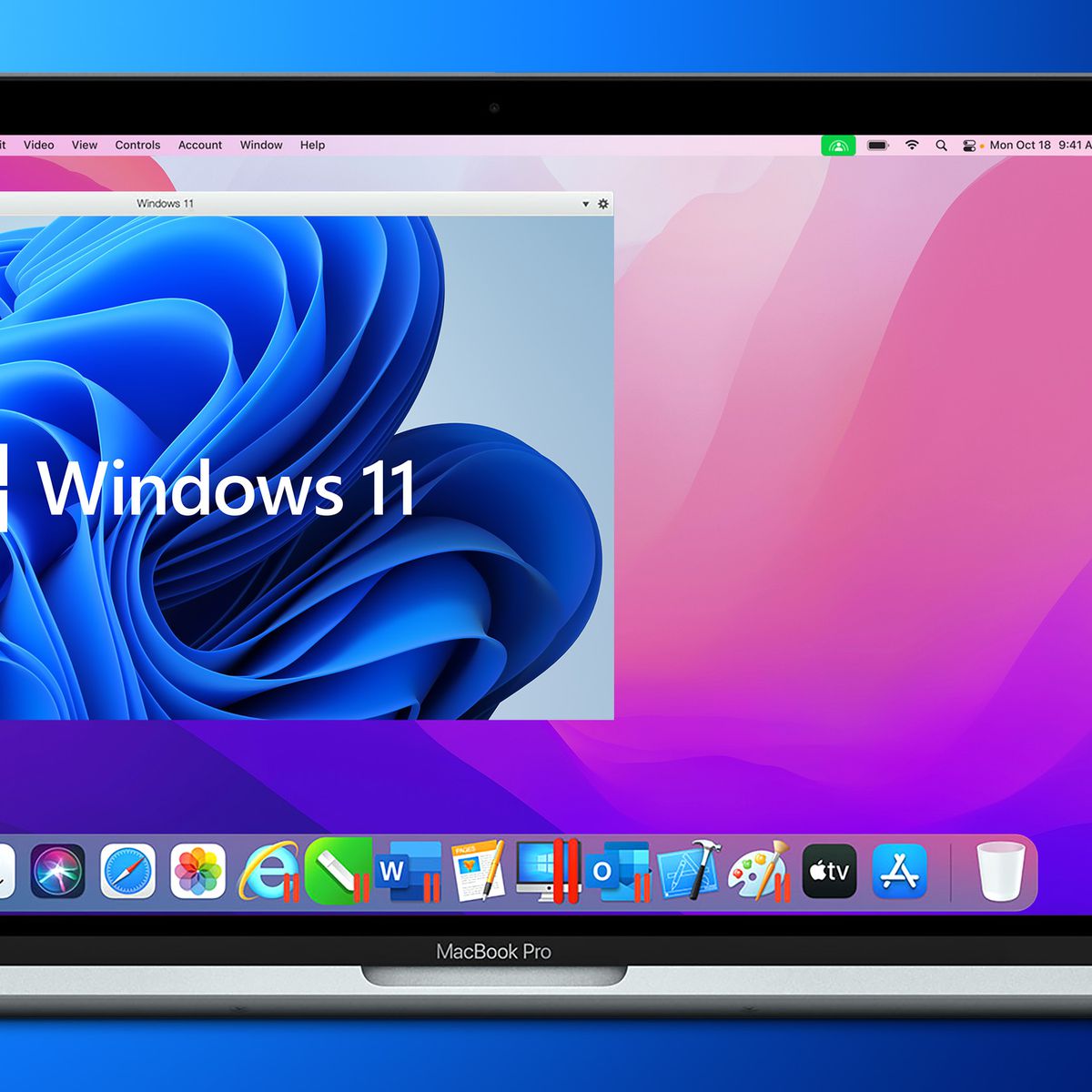
The short answer is yes, you can download Windows 11 on a Mac computer. However, there are some requirements and limitations that you need to be aware of. Firstly, you’ll need to use virtualization software to run Windows 11 on your Mac. This means that you’ll be running Windows 11 within a virtual machine, which emulates a Windows-based computer on your Mac. There are several virtualization software options available, such as Parallels Desktop, VMware Fusion, and VirtualBox.
How to Download Windows 11 on Mac?
To download Windows 11 on your Mac, you’ll need to follow these general steps:
- Choose a virtualization software and download it on your Mac.
- Purchase a Windows 11 license or use an existing one.
- Create a virtual machine within the virtualization software and install Windows 11 on it.
- Configure the virtual machine settings, such as memory and storage allocation.
- Launch the virtual machine and start using Windows 11 on your Mac.
The exact steps may vary depending on the virtualization software you choose and your level of expertise with it.
Is It Safe to Download Windows 11 on Mac?
Downloading and using Windows 11 on a Mac can be safe if you take the necessary precautions. Firstly, you’ll need to make sure that you’re downloading Windows 11 from a trusted source, such as the official Microsoft website or a reputable software vendor. Secondly, you’ll need to keep your virtualization software and Windows 11 up to date with the latest security patches and updates. Lastly, you should also be careful when downloading and installing third-party software on Windows 11, as it can potentially compromise your Mac’s security.
What Are the Benefits of Using Windows 11 on Mac?
There are several benefits of using Windows 11 on your Mac computer, such as:
- Access to Windows-only software: Some software applications are only available for Windows, and running Windows 11 on your Mac allows you to access and use them.
- Compatibility with Windows-based hardware: If you have hardware devices that only work with Windows-based computers, such as gaming peripherals, you can use them on your Mac with Windows 11.
- Familiarity with Windows interface: If you’re more familiar with the Windows interface, running Windows 11 on your Mac allows you to use your preferred operating system.
What Are the Downsides of Using Windows 11 on Mac?
While there are benefits to using Windows 11 on a Mac, there are also some downsides to consider, such as:
- Performance issues: Running Windows 11 on a virtual machine can result in slower performance compared to running it on a native Windows-based computer.
- Storage limitations: Virtual machines require storage space on your Mac’s hard drive, which can be limited and may impact your overall storage capacity.
- Security concerns: Running Windows 11 on a Mac using virtualization software can potentially compromise your Mac’s security, especially if you’re downloading and installing third-party software on Windows 11.
Can You Dual Boot Windows 11 and macOS on a Mac?
Yes, you can dual boot Windows 11 and macOS on a Mac computer. Dual booting allows you to choose which operating system you want to use when you start up your computer. However, it requires partitioning your Mac’s hard drive and allocating storage space for each operating system. This process can be complex and requires some technical expertise, so it’s not recommended for novice users.
What Are the System Requirements for Windows 11 on Mac?
The system requirements for running Windows 11 on a Mac depend on the virtualization software you’re using. However, as a general rule, you’ll need a Mac with an Intel processor, at least 8GB of RAM, and enough storage space for the virtual machine and Windows 11. Some virtualization software may require specific versions of macOS or additional hardware requirements, so it’s important to check the software’s system requirements before installing it.
How to Check if Your Mac Can Run Windows 11?
To check if your Mac can run Windows 11, you can use the system requirements for the virtualization software you plan to use as a guideline. You can also check if your Mac has a compatible Intel processor and enough RAM and storage space. Additionally, some virtualization software providers offer compatibility checkers that can help you determine if your Mac can run Windows 11.
What Are Some Alternatives to Windows 11 on Mac?
If you’re not interested in using Windows 11 on your Mac, there are several alternative operating systems to consider, such as:
- Linux: Linux is a free and open-source operating system that’s known for its customization options and security features.
- Chrome OS: Chrome OS is a lightweight operating system designed for web-based applications and cloud computing.
- macOS: Of course, macOS is also an alternative to Windows 11, offering a user-friendly interface and integration with other Apple devices.
Frequently Asked Questions (FAQs)
Can I download Windows 11 for free on my Mac?
Will running Windows 11 on a Mac impact the performance of my Mac?
Can I dual boot Windows 11 and macOS on my Mac?
What are the system requirements for running Windows 11 on a Mac?
What are some alternatives to using Windows 11 on a Mac?
Conclusion
In conclusion, it is possible to download and use Windows 11 on a Mac computer using virtualization software. However, there are some limitations and risks to consider, such as performance issues and security concerns. It’s important to use trusted sources when downloading and installing Windows 11 and to keep your virtualization software and Windows 11 up to date with the latest security patches and updates.