
Бесплатная пробная версия Parallels Desktop: 14 дней, без кредитной карты, полный функционал
Parallels Desktop имеет 14-дневную бесплатную пробную версию. Кредитная карта не требуется. Вы загружаете программное обеспечение, устанавливаете его и получаете полный доступ ко всему, включая установку Windows, на две недели.
На этой странице описано, что включено, что стоит протестировать во время пробной версии и какие у вас есть варианты по истечении 14 дней.
Что включает в себя пробная версия
Все. Пробная версия не является ограниченной версией — это полная версия стандартного программного обеспечения. Вы получаете:
- Полная версия приложения Parallels Desktop 26
- Автоматическая установка Windows 11 (Parallels загрузит и установит ее за вас)
- Режим когерентности (приложения Windows на рабочем столе Mac)
- Общий буфер обмена и перетаскивание между Mac и Windows
- Общие папки (доступ к файлам Mac из Windows)
- Панель инструментов Parallels
- Parallels Access (удаленный доступ с iPad и iPhone)
- Приложение Parallels Desktop для iPhone
Единственное ограничение — время — 14 дней с момента первого запуска пробной версии.
Как начать пробную версию
- Перейдите на сайт Parallels.com/desktop/trial/.
- Загрузите установщик Parallels Desktop.
- Установите его на свой Mac (стандартная установка приложения Mac)
- Открытые параллели. Он предложит вам установить Windows.
- Выберите «Установить Windows» — Parallels загрузит Windows 11 от Microsoft и установит ее автоматически.
- Windows готова через 10 - 20 минут.
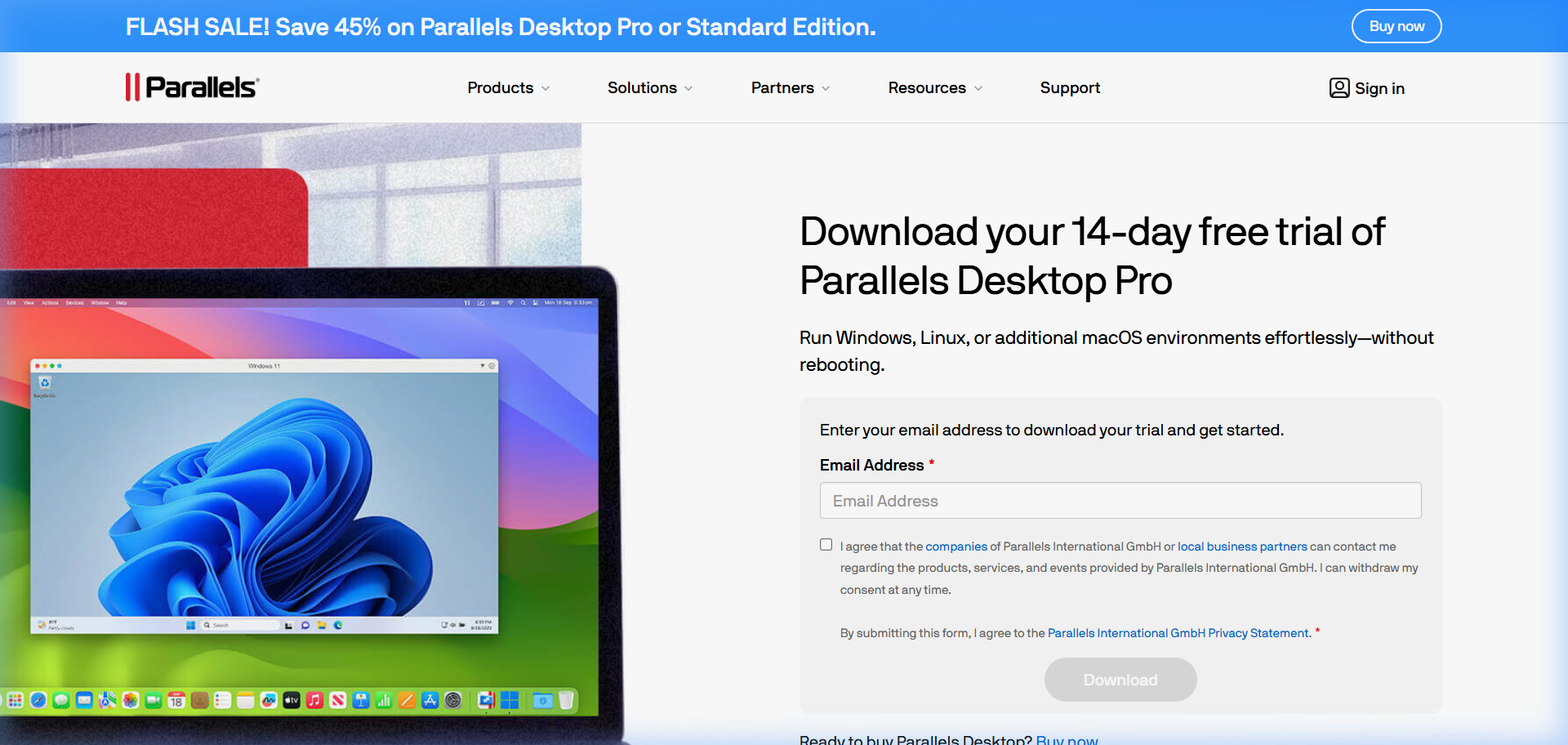
Для запуска не требуется лицензионный ключ. Никакой платежной информации не запрашивается.
Что протестировать в течение 14 дней
Суд достаточно длинный, чтобы все проверить должным образом. Вот на чем следует сосредоточиться, исходя из того, почему вы рассматриваете Parallels:
For running a specific Windows app: Install the app on day 1. Use it for the full two weeks in your actual workflow. This is the real test - not whether it installs, but whether it performs well enough for daily use.
For performance: Run your Windows app alongside your Mac apps and note whether the performance impact on macOS is acceptable. On M-chip Macs with 16+ GB RAM, most people find it barely noticeable. On older Intel Macs with 8 GB, it can be more significant.
For Coherence Mode: Try working in Coherence Mode for a day. See if the experience of using Windows apps alongside Mac apps feels natural to you.
For boot time: Note how long Windows takes to start from a suspended state (2 - 3 seconds) vs. a cold boot (8 - 12 seconds). This affects how you’ll use it day-to-day.
Что происходит, когда судебное разбирательство заканчивается
По истечении 14 дней Parallels перестанет запускать вашу виртуальную машину Windows. Ваша установка Windows и все файлы внутри нее сохраняются — ничего не удаляется. Вы просто не сможете запустить Windows, пока не активируете лицензию.
Ваши варианты на этом этапе:
Purchase Parallels Desktop: $99.99/year for Standard, $149.99 for Pro. Check the current coupon page for active discounts. If you’re a student, the student pricing is $49.99/year.
Switch to a free alternative: VMware Fusion (free for personal use), UTM (free, open source), or VirtualBox (free). Your Windows VM created in Parallels can’t be directly imported into these tools - you’d need to set up a new Windows installation. But your Windows data files (documents, installed software settings) can be migrated with some effort.
Decide not to proceed: If the trial convinced you that a virtual machine isn’t right for your workflow, that’s useful information to have before spending anything.
Часто задаваемые вопросы
Does Parallels’ free trial require a credit card? No. The trial downloads and runs without payment information.
Can I extend the Parallels free trial? Not officially. The 14-day window is fixed. If you need more time to evaluate, contact Parallels support - occasionally they extend trial periods on request.
Is Windows free during the Parallels trial? Windows is included through Parallels’ automatic installation during the trial period. The Windows license is tied to your Parallels subscription. This is part of why the transition from trial to paid is smooth - no separate Windows purchase required.
Will my Windows apps and data be deleted when the trial ends? No. Your Windows installation is preserved. You won’t be able to run Windows until you purchase, but nothing is deleted.
Can I run Parallels free trial multiple times (fresh install)? The trial is tied to your Apple ID and hardware. Running a fresh install resets the app but Parallels typically detects the prior trial and doesn’t restart the 14 days.
Is there a free version of Parallels that works indefinitely? No. Parallels is a paid product. Free alternatives include VMware Fusion (free for personal use), UTM (open source), and VirtualBox. See our comparison guide for details.
Virtualization Architecture
Parallels VM Resource Calculator
Find the best CPU and RAM allocation for your setup